
A useful identity handover lets another team reproduce the work and make a controlled change. Ask for editable sources, exports matched to real placements, usage rules and a named update path. Then test the package: change one thing and follow the outputs that depend on it.
A polished guidelines document is valuable, but it does not establish that the supplied files match it. A folder of exports is useful, but it does not establish which source produced them. The handover connects those two responsibilities. You should be able to identify the current source, choose the right output and know what to revisit when a decision changes.
The acceptance checklist is designed for the person receiving the work. It asks for inspectable evidence and ownership, rather than a quota of deliverables every project must contain.
Start with where the identity will be used
List the actual applications: website header, browser icon, social image, proposal, packaging, signage or whatever the commission includes. For each, name the editable source, the supplied export, the relevant usage rule and the person responsible for updates. Mark anything outside scope openly.
This catches gaps that file counts conceal. Twenty logo exports may still omit the one-colour version needed by a supplier. A beautiful presentation may use a typeface the receiving team cannot access. A social template may be technically editable but depend on a photograph that cannot be reused in the next campaign.
Ask the maker to demonstrate one ordinary edit using the supplied materials. Change a headline, replace an image, or choose the correct small logo. The receiving person should be able to repeat it without reconstructing the design from a screenshot.
Run a small change through the package
Our demonstration uses a sample colour source and three exported assets: a document, an icon and a social image. It is an isolated teaching example. Changing its source from blue to red does not change Blankout's production identity.
In the second state, the document and social export use the new colour, while the icon intentionally retains the old one. The third state regenerates the icon. These are actual exported files with a downloadable manifest. The stale state is a constructed failure, clearly labelled, rather than an incident attributed to a client.
Follow one colour change
An isolated teaching example using Tactile’s approved blue and red tokens. Changing this sample source does not change Blankout’s identity.
Source colour: #193ACD. All three derivatives match the original source.


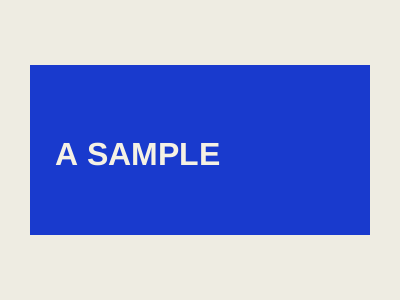
The useful result is seeing which files need an update. It is the dependency that would otherwise be easy to miss. A team could update a style sheet, see the new colour on a page and conclude that the change is complete while an older icon remains elsewhere.
The manifest records the expected colour and the bytes of each example output. A matching file hash establishes which file you have. It does not establish that the image looks good or that the original decision was right. Technical identity and creative judgment remain separate checks.
| Artifact | Changed state | Required action | Receiving check |
|---|---|---|---|
| Document | Uses the new red source. | Inspect the regenerated file. | Colour and content match the intended sample. |
| Icon | Deliberately stale: still blue. | Regenerate from the changed source. | Verify the repaired file and replace the old derivative. |
| Social image | Uses the new red source. | Inspect the regenerated file. | Colour and composition match the intended sample. |
| Handover package | Old accepted files no longer all agree. | Identify the new package revision and notify its owner. | Recipient confirms the affected files were replaced. |
Close changes per artifact
When a source decision changes, name each affected output and give it a disposition. It may need regeneration, a manual revision, a review with no change, or retirement. Assign a holder and record the revision that was checked. An unowned list of “icons, website, social” is still unfinished work.
Treat accepted handoffs as potentially stale when their inputs change. The recipient should know that the old package no longer represents the current decision. Send the revised files with a concise account of what changed and what the recipient needs to replace. A silent new export in a folder is easy to miss.
For small commissions, a short table is enough. The purpose is to follow the change through, not to create a second project-management system. For larger systems, the same relationships can be tracked in the tools the team already uses.
Ask what is automated, and what still needs judgment
Tokens can help share named decisions between tools. The Design Tokens Community Group format describes an interchange format; its FAQ distinguishes the community specification from a W3C Standards Track standard. Our downloadable sample uses the format's structured colour representation. Blankout's existing application registry is a separate custom system; this example does not claim that the whole registry conforms to DTCG.
A shared colour source can make several exports easier to update. It cannot decide whether a new foreground still reads on every background or whether a print stock changes the intended appearance. Those checks need to remain in the handover, even if file production is automated.
For implementation work, agree where the source lives and how edits reach the delivered product. RSH handles software and integration depth within our shared team. The buyer's acceptance question stays simpler: can the next team make the promised update and verify its effects?
Accept the package through a repeatable check
Confirm the sources open, the exports match their intended uses, the smallest important application has been inspected, and the ordinary editing task works. Verify the names and versions against the guidelines. Ask who handles a change after delivery and how the receiving team learns that a prior asset is stale.
Keep the acceptance specific. “The logo package is ready for the website and presentation uses listed here” is a more useful statement than “the brand is finished.” New channels can introduce new production demands later.
Our responsive-logo proof shows one of these checks in detail. The colour-pairing Note shows another. Together with a clear brief and update owner, they make a handover something the next team can use with confidence grounded in evidence.