Reference edition 1.1.0 · Reviewed 2026-10-03. Published content remains live.
Blankout / v05 / Shared UI
The working parts.
Real components, real states. These are the primitives and compositions used by the site, rendered with the same token registry.
00 / Coverage
Find a component in its proper context.
This census covers presentational source modules in the shared UI and site components. A displayed module does not imply every variant or every task has been tested.
38 modules: 20 demonstrated, 12 in complete-page context, 6 excluded from standalone specimens.
Controls and explanatory copy are synthetic examples. Entry cards and CMS block examples read current published Sanity content; their content can change independently of this reference edition.
Inspect the module census
ui/brand-art · demonstrated
Production module rendered in the linked reference; coverage is bounded to the shown variants.
packages/ui/src/brand-art.tsx · Synthetic reference or published CMS, labeled by section
Inspect the contextui/data-table · demonstrated
Production module rendered in the linked reference; coverage is bounded to the shown variants.
packages/ui/src/data-table.tsx · Synthetic reference or published CMS, labeled by section
Inspect the contextui/dialog · demonstrated
Production module rendered in the linked reference; coverage is bounded to the shown variants.
packages/ui/src/dialog.tsx · Synthetic reference or published CMS, labeled by section
Inspect the contextui/editorial-art · demonstrated
Production module rendered in the linked reference; coverage is bounded to the shown variants.
packages/ui/src/editorial-art.tsx · Synthetic reference or published CMS, labeled by section
Inspect the contextui/expression · demonstrated
Production module rendered in the linked reference; coverage is bounded to the shown variants.
packages/ui/src/expression.tsx · Synthetic reference or published CMS, labeled by section
Inspect the contextui/identity · demonstrated
Production module rendered in the linked reference; coverage is bounded to the shown variants.
packages/ui/src/identity.tsx · Synthetic reference or published CMS, labeled by section
Inspect the contextui/json-ld · excluded
Machine-readable metadata has no standalone visual specimen.
packages/ui/src/json-ld.tsx · Not applicable
ui/motion · demonstrated
Production module rendered in the linked reference; coverage is bounded to the shown variants.
packages/ui/src/motion.tsx · Synthetic reference or published CMS, labeled by section
Inspect the contextui/primitives · demonstrated
Production module rendered in the linked reference; coverage is bounded to the shown variants.
packages/ui/src/primitives.tsx · Synthetic reference or published CMS, labeled by section
Inspect the contextui/scroll-region · demonstrated
Production module rendered in the linked reference; coverage is bounded to the shown variants.
packages/ui/src/scroll-region.tsx · Synthetic reference or published CMS, labeled by section
Inspect the contextui/skip-link · contextual
Inspect in its complete page; page state and composition are part of its contract.
packages/ui/src/skip-link.tsx · Published content / current runtime
Inspect the contextsite/applications · demonstrated
Production module rendered in the linked reference; coverage is bounded to the shown variants.
apps/web/components/site/applications.tsx · Synthetic reference or published CMS, labeled by section
Inspect the contextsite/blocks · demonstrated
Production module rendered in the linked reference; coverage is bounded to the shown variants.
apps/web/components/site/blocks.tsx · Synthetic reference or published CMS, labeled by section
Inspect the contextsite/catalog · excluded
Reference composition itself; not a reusable production specimen.
apps/web/components/site/catalog.tsx · Not applicable
site/contact-form · contextual
Inspect in its complete page; page state and composition are part of its contract.
apps/web/components/site/contact-form.tsx · Published content / current runtime
Inspect the contextsite/cookie-settings · demonstrated
Production module rendered in the linked reference; coverage is bounded to the shown variants.
apps/web/components/site/cookie-settings.tsx · Synthetic reference or published CMS, labeled by section
Inspect the contextsite/detail-opening · contextual
Inspect in its complete page; page state and composition are part of its contract.
apps/web/components/site/detail-opening.tsx · Published content / current runtime
Inspect the contextsite/editorial-specimens · demonstrated
Production module rendered in the linked reference; coverage is bounded to the shown variants.
apps/web/components/site/editorial-specimens.tsx · Synthetic reference or published CMS, labeled by section
Inspect the contextsite/elements · demonstrated
Production module rendered in the linked reference; coverage is bounded to the shown variants.
apps/web/components/site/elements.tsx · Synthetic reference or published CMS, labeled by section
Inspect the contextsite/entry · contextual
Inspect in its complete page; page state and composition are part of its contract.
apps/web/components/site/entry.tsx · Published content / current runtime
Inspect the contextsite/hero · contextual
Inspect in its complete page; page state and composition are part of its contract.
apps/web/components/site/hero.tsx · Published content / current runtime
Inspect the contextsite/home-composition · contextual
Inspect in its complete page; page state and composition are part of its contract.
apps/web/components/site/home-composition.tsx · Published content / current runtime
Inspect the contextsite/media-figure · demonstrated
Production module rendered in the linked reference; coverage is bounded to the shown variants.
apps/web/components/site/media-figure.tsx · Synthetic reference or published CMS, labeled by section
Inspect the contextsite/missing · contextual
Inspect in its complete page; page state and composition are part of its contract.
apps/web/components/site/missing.tsx · Published content / current runtime
Inspect the contextsite/motion · demonstrated
Production module rendered in the linked reference; coverage is bounded to the shown variants.
apps/web/components/site/motion.tsx · Synthetic reference or published CMS, labeled by section
Inspect the contextsite/navigation · contextual
Inspect in its complete page; page state and composition are part of its contract.
apps/web/components/site/navigation.tsx · Published content / current runtime
Inspect the contextsite/page-opening-layout · demonstrated
Shared opening layout is rendered by the live Services, Studio and Contact specimens; switch expressions to inspect paired artwork and native Modular fallbacks.
apps/web/components/site/page-opening-layout.tsx · Published CMS opening specimens with the production expression provider
Inspect the contextsite/page-opening · demonstrated
Production module rendered in the linked reference; coverage is bounded to the shown variants.
apps/web/components/site/page-opening.tsx · Synthetic reference or published CMS, labeled by section
Inspect the contextsite/preview-tools · excluded
Authenticated editorial tooling; inspect only in authorized draft preview.
apps/web/components/site/preview-tools.tsx · Not applicable
site/project-presentation · contextual
Inspect in its complete page; page state and composition are part of its contract.
apps/web/components/site/project-presentation.tsx · Published content / current runtime
Inspect the contextsite/recovery-copy · excluded
Nonvisual context provider transports authored recovery copy and a documented outage snapshot; its text is inspected in complete recovery pages rather than a standalone visual specimen.
apps/web/components/site/recovery-copy.tsx · Published recovery settings and last-known authored emergency snapshot; no enquiry data
site/shell · contextual
Inspect in its complete page; page state and composition are part of its contract.
apps/web/components/site/shell.tsx · Published content / current runtime
Inspect the contextsite/site-copy · excluded
Nonvisual context provider transports CMS-owned interface copy to client compositions; visible controls and their text are covered through the consuming modules and authoring tests.
apps/web/components/site/site-copy.tsx · Published interface settings; no frontend seed fallback
site/structured-data · excluded
Machine-readable metadata has no standalone visual specimen.
apps/web/components/site/structured-data.tsx · Not applicable
site/section-heading · demonstrated
Shared section opening renders in reference chapters and production blocks; inherited catalog and fill-toned authored eyebrows preserve their existing styles.
apps/web/components/site/section-heading.tsx · Synthetic reference chapters and published CMS blocks
Inspect the contextsite/site-action · contextual
Inspect authored footer action order and native link or preferences-button semantics in the complete site; every preferences trigger opens the same shell-owned dialog.
apps/web/components/site/site-action.tsx · Published presentation footer actions and cookie settings; no frontend insertion or reorder
Inspect the contextui/expression-icons · contextual
Native head metadata follows the cookie-backed expression on the server and the shared preference state in the browser; inspect icon links in a complete page.
packages/ui/src/expression-icons.tsx · Current expression preference and generated identity assets; no editorial content
Inspect the contextsite/identity-usage · demonstrated
Practical accepted-identity reference renders stacked geometry, both fixed expression export pairings, icon size proofs and standalone clear space.
apps/web/components/site/identity-usage.tsx · Accepted S1 / R0 geometry and existing public identity exports; code-owned reference guidance
Inspect the context
01 / Text and layout
Meaning and appearance stay separate.
label: a clear idea needs a useful form.
xs: a clear idea needs a useful form.
sm: a clear idea needs a useful form.
body: a clear idea needs a useful form.
reading: a clear idea needs a useful form.
intro: a clear idea needs a useful form.
lead: a clear idea needs a useful form.
A display-sized H3.
Stack / vertical rhythm
Inline / wrapping alignment
Grid / content relationships
02 / Identity and artwork
Geometry with a shared grammar.
03 / Controls
Clear actions and visible states.
A native modal contains focus and returns it to its trigger. Its copy comes from Site settings; the same preference controls are shared with the footer. Escape closes without resetting choices.
A compact disclosure
The chip control opens natively, including before hydration and without JavaScript.
A native disclosure
This uses the browser’s details and summary behaviour, including keyboard activation and a visible expanded state.
A strong expression still needs ordinary, dependable controls.
04 / Forms
Defaults, errors and recovery.
The complete enquiry flow, local preview disclosure and retry control are on Contact.
05 / Regions
A field carries its foreground.
yellow
Reading and control colours follow the field.
Explore servicesblue
Reading and control colours follow the field.
Explore servicesred
Reading and control colours follow the field.
Explore services06 / Entries
Content, with its provenance.

A responsive logo needs decisions at real sizes
Choose logo arrangements and detail for real placements, with a true-size Blankout proof and an editable export checklist.

Brief an identity by deciding how you will judge it
Turn a commission into applications, evidence and selection criteria. Includes an editable brief, a review sheet and a completed fictional example.

One brand, two visual expressions: decide what stays the same
What stays shared when one identity has two expressions, what can change, and how to decide whether the range earns its upkeep.
07 / Editorial specimens
Evidence you can use.
The same working examples used inside Notes. Content editors select a specimen; the shared implementation owns its behavior.
logo proof
True CSS sizes. Use 100% browser zoom; wide specimens scroll within the panel.
One line
160 CSS px / plain → cut
320 CSS px / plain → cut
720 CSS px / plain → cut
Two lines
160 CSS px / plain → cut
320 CSS px / plain → cut
720 CSS px / plain → cut
Symbol / small applications
16px
24px
32px
64px
Tiny wordmarks / stress comparison
These deliberately small name treatments are comparison specimens, not recommended exports.
16px
24px
32px
64px
motion score
Quiet state — reduced motion or Motion off is active.
| Moment | Behavior | Quiet version |
|---|---|---|
| Arrival | Keep the completed form visible on first load. | Same completed form. |
| Replay | Parts shift up to 18px and settle over 880ms; one run. | No travel or replay. |
| Interruption | The stop control restores the final composition immediately. | No blank or hidden substitute. |
contrast pairs
The current tactile token values, measured live. A text pair passes the 4.5:1 normal-text threshold when its unrounded result is at least 4.5.
| Pair | Foreground / field | Measured ratio | Normal text |
|---|---|---|---|
| yellow | #101110 / #D8DF27 | 13.07:1 | Pass for this pair |
| blue | #F5F1E4 / #193ACD | 7.35:1 | Pass for this pair |
| red | #F5F1E4 / #C43D29 | 4.59:1 | Pass for this pair |
| paper | #101110 / #F5F1E4 | 16.75:1 | Pass for this pair |
Before / field colour as text
Open the brief ↗
After / paired roles
Open the brief ↗A paired foreground, explicit text and visible keyboard focus. The yellow remains an expressive field.
expression state
Try a different phrase, then change expression. The phrase remains here; the same mark and page acquire another presentation. Nothing is submitted.
A character worth keeping.
Same name / same words / another expression
| Keep shared | Allow to vary |
|---|---|
| Offer, project facts, author and URL | Material, composition and colour roles |
| Letter outlines and meaningful naming | Plain or cut treatment at a chosen placement |
| Typed input, focus, motion preference | Imagery selected for the same subject |
| Readable hierarchy and task order | Rhythm, spacing and editorial scale |
handover change
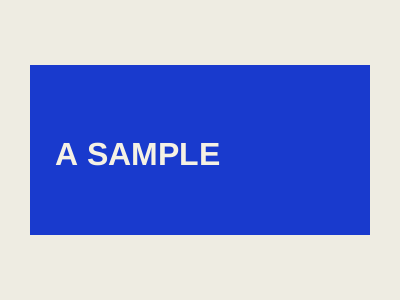
An isolated teaching example using Tactile’s approved blue and red tokens. Changing this sample source does not change Blankout’s identity.
Source colour: #193ACD. All three derivatives match the original source.


project contact sheet
Three related ventures, three constructions. The expression control changes material treatment; the project idea stays the same.
Kickbrand

RSH Studio

InnerStunner

translation board

| Input | Visual consequence | Exclude |
|---|---|---|
| Promise meets experience | A seam and a purposeful connection between planes. | Unrelated floating fragments that remove the connection. |
| A clear relationship | Few large elements; an interval the eye can inspect. | Extra symbols competing for equal attention. |
| Repeatable character | Specify subject relationships before surface treatment. | Copying the exact same crop for every image. |
08 / Editorial blocks
Every CMS block has a live specimen.
Each link renders the first published use of that schema block. This is the same renderer that composes the live pages.
09 / Motion
Replay. Pause. Inspect.
01 / identity
Cut
An incision makes a new relationship.
02 / direction
Shift
One interruption changes the rhythm.
03 / motion
Bind
Separate pieces become one composition.
Studio studies / Cut. Shift. Leave an impression.
Composition sequence 1.
10 / Page openings
An opening with a purpose.
Primary destinations use substantial artwork: a portrait plate in Tactile, complete geometry in Modular. Practical pages stay wide; reading details stay compact. These live CMS specimens use the same components and editorial crops as their pages. Switch expression to inspect both treatments.
02 / Art direction
02 / Blankout
One idea. Many images.
Build a visual world with enough consistency to be recognized and enough range to keep moving.

Selected work
01 / Blankout
The idea, made visible.
Different contexts ask for different expressions. These projects show the decisions that give each one its own visual world.

The practice
02 / Blankout
An identity. A direction. A way to move.
Work with us on a focused creative brief or the visual system that connects it all.

The studio
03 / Blankout
A shared team. An independent point of view.
Blankout is the creative practice for identity, art direction and motion.

Notes
04 / Blankout
Make the idea work.
Nine working notes. Real decisions, inspectable examples and tools for the next commission.

Resources
04 / Blankout
Start with a better question.
Briefs, comparison sheets and acceptance checks. Take the working files into your next commission.

Start a conversation
05 / Blankout
Something in mind?
A finished brief is welcome. A clear question is enough to begin.

Information and enquiries
05 / Blankout
Privacy.
What this site collects, where it goes and how to contact us about it.